Konstruct

AI-powered assistants that understand your product from idea to code — and your codebase as a connected system, not files pasted into a chat window. Konstruct maps structure, symbols, and intent across your project so assistants stay accurate and useful. Focus on delivering value, not wrangling context.

Supports multiple LLM Providers

Cursor
Anthropic
OpenAI
Gemini
AWS
Ollama
RunPod
Hugging Face

How does Konstruct Work

AI works best with clear definitions, accurate data, and direct instructions. Konstruct helps you with those as you capture ideas, designs, and plans—so assistants get the clarity and context they need to execute well.

Code Graph

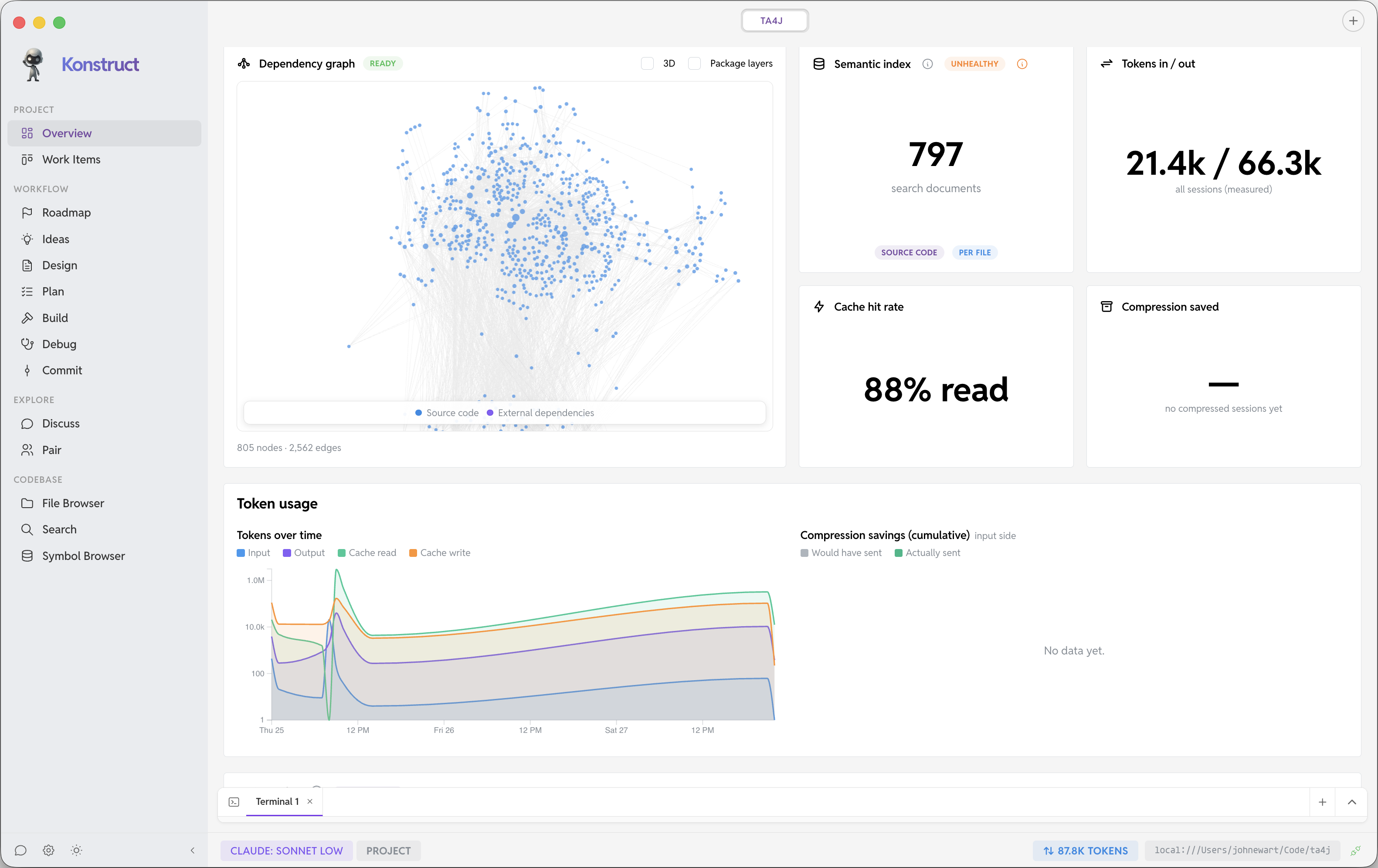
The Code Graph combines structure-aware indexing with semantic search so you can explore and query your codebase with precision. Indexing and graph analysis currently cover Go, TypeScript, Python, Java, Clojure, Ruby, Zig, C#, and Rust, with more languages coming. In a single workspace, Konstruct can index and map your project across multiple repositories, giving assistants one connected view of how your system fits together.

That connected view helps assistants better understand your code and your project, giving them the context they need to be more effective and accurate.

From Ideation To Implementation

Ideation

Capture goals, constraints, and rough ideas in one place so you start from a shared picture—not a blank chat.

Design

Turn fuzzy intent into concrete designs: flows, boundaries, and tradeoffs your team can review before anyone writes code.

Plan

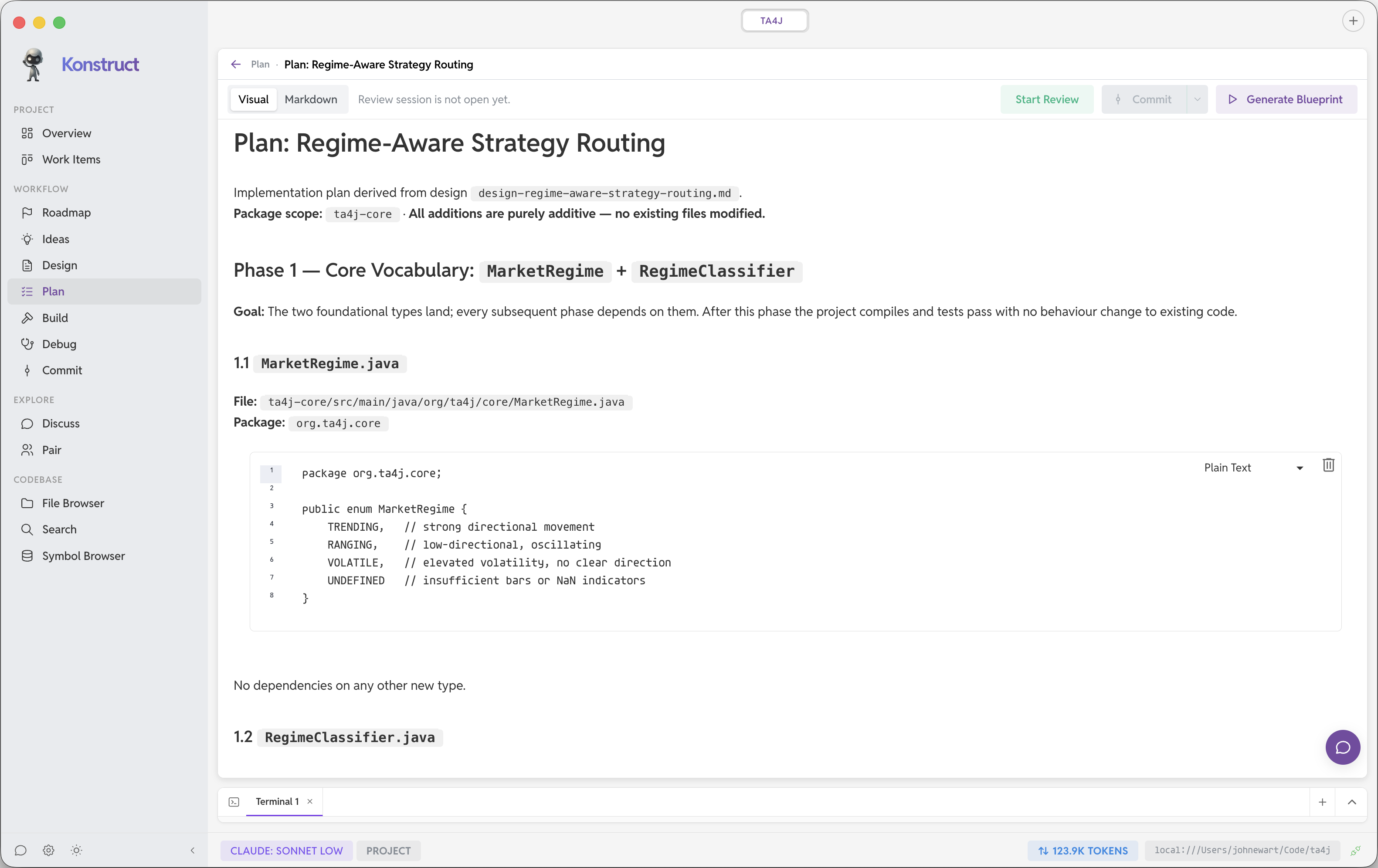
Break designs into ordered, specific steps assistants can follow, helping to answer open questions they have about the design—clear scope, fewer wrong assumptions.

Implement

Execute the plan: features, fixes, and refactors grounded in the designs and following the plan of action you created.

Build Sandbox

Build Sandbox keeps agent verification inside build steps your team defines and checks into git. Instead of improvising shell commands, agents can run only the lint, test, and build work you have already approved for each repository. You decide what those steps mean—Konstruct executes them in the order you specify, and nothing else.

How it works

  • Define build targets in a per-repository manifest you check into git—each target lists one or more approved shell commands.
  • Declare buildpacks in your manifest (for example Node 20). Konstruct installs and isolates each toolchain automatically—a bit like a global version manager—so agents get the right runtime without touching whatever is on the host.
  • Chain prerequisites so Konstruct runs dependencies first—lint before test, test before build—automatically.
  • Enable Build Sandbox in Konstruct to block arbitrary command execution during verification work.
  • Agents discover and run targets by name through the workspace daemon—isolated from ad-hoc host shells.

Why it’s valuable

  • Reviewable and shared — the manifest lives in git, so your team sees exactly what agents are allowed to run.
  • Reproducible environments — buildpacks are installed once and kept isolated per project. Each run uses the compiler, runtime, or package manager you pinned—not whatever happens to be on the agent’s PATH or your laptop.
  • Smaller blast radius — agents cannot run destructive or surprising shell one-offs during verification; they stay inside your declared targets.
  • Predictable pipelines — prerequisite ordering makes lint-before-test (and similar workflows) automatic, not a prompt-level hope.
.konstruct-build.yml
dependencies:
  build:
    - node:20
build_targets:
  - name: lint
    commands:
      - npm run lint
  - name: test
    commands:
      - npm test
    require_targets:
      - lint
  - name: build
    commands:
      - npm run build
    require_targets:
      - test

Sandboxed Starlark scripts

Agents also get Starlark—a small, Python-like language designed for safe automation. They can write scripts they find useful for batch workspace probes, git checks, and glue logic, then rerun them through the workspace daemon without improvising shell commands or touching the host.

  • Scripts run in a hard sandbox: no shell, no imports, no network, no open(), and no escaping the workspace boundary.
  • Curated modules only—workspace (glob, read, stat, list_dir), git (diff, log, blame), build.run when Build Sandbox is enabled, plus json and log.
  • Resource limits cap execution time, bytes read/written, files touched, and JSON returned—so runaway scripts cannot thrash your machine.
  • Agents define def main(args): once; Konstruct invokes it automatically. Perfect for reusable checks agents want to keep around.
agent script.star
def main(args):
    go_files = workspace.glob("**/*.go")
    tests = workspace.glob("**/*_test.go")
    log.info("Go sources: %d" % len(go_files))
    return {
        "go_files": len(go_files),
        "test_files": len(tests),
    }

See Konstruct in Action

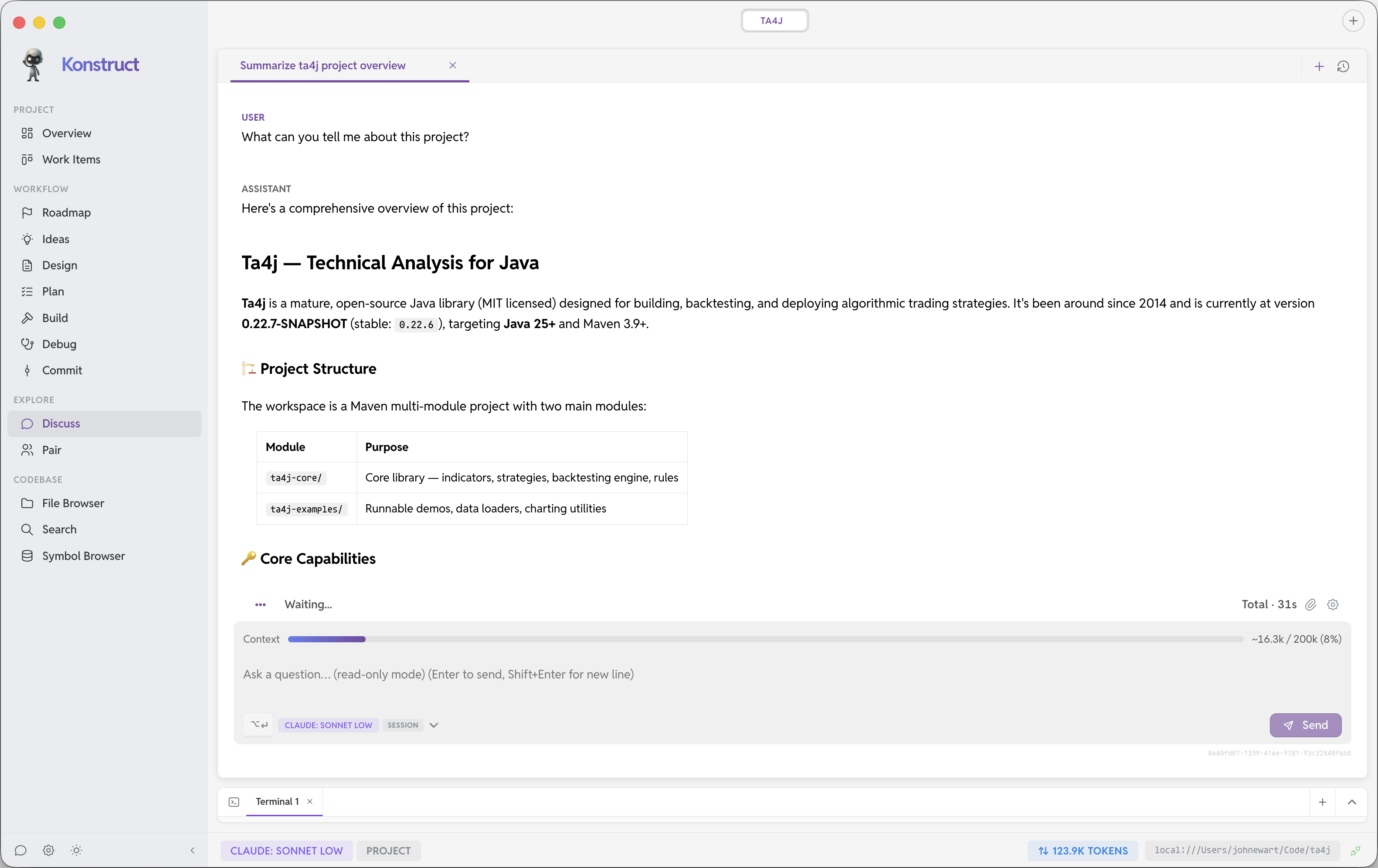
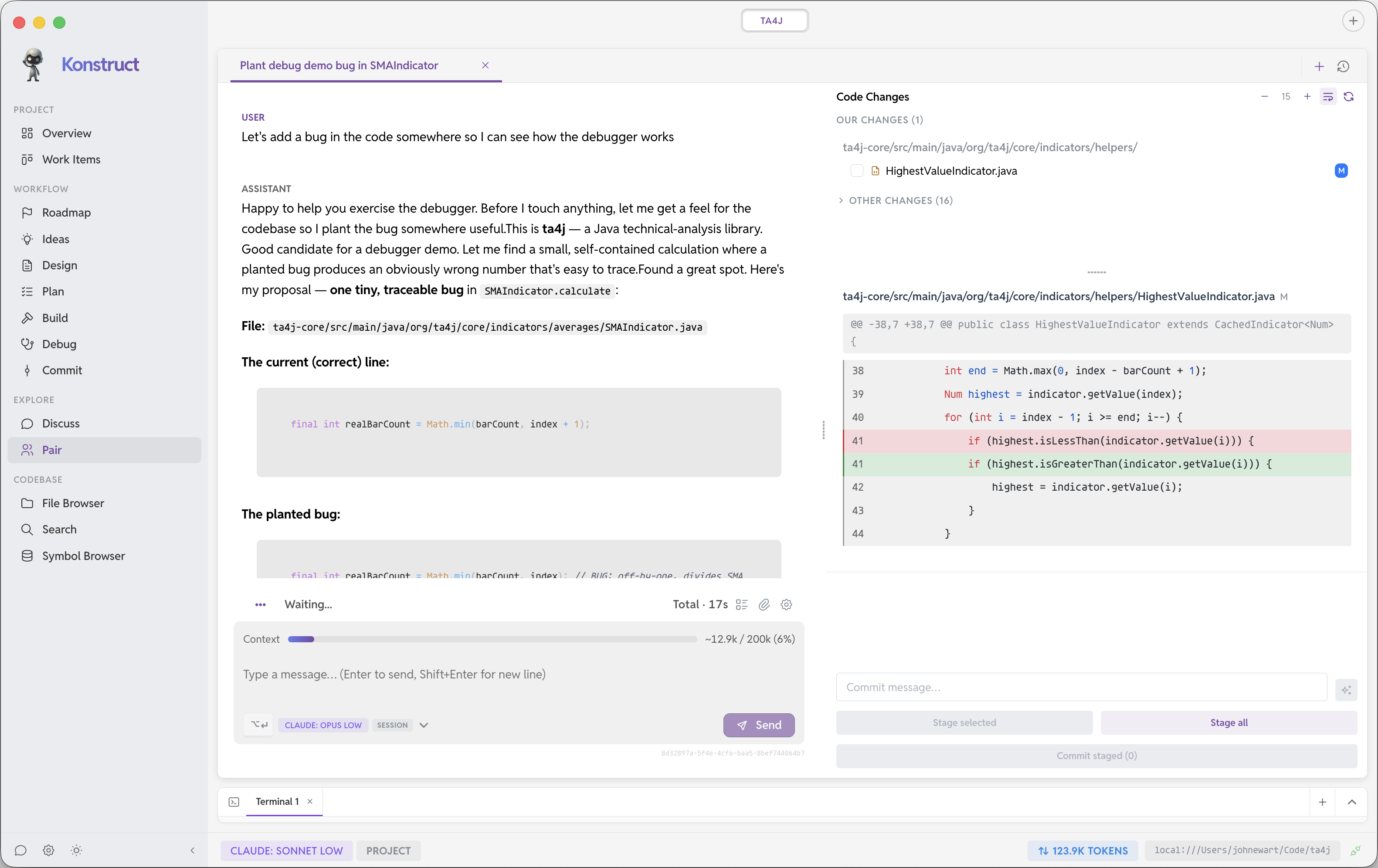
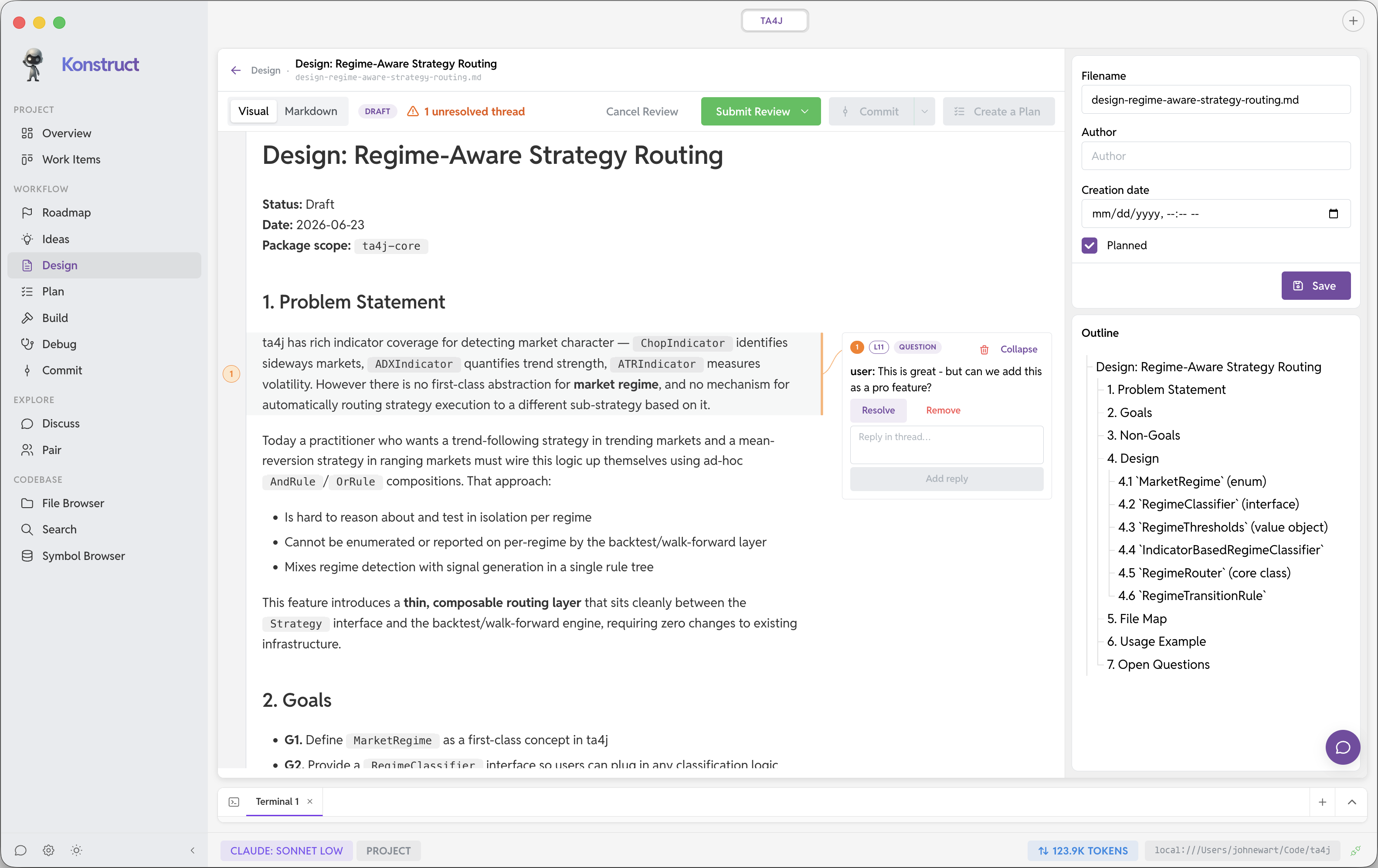
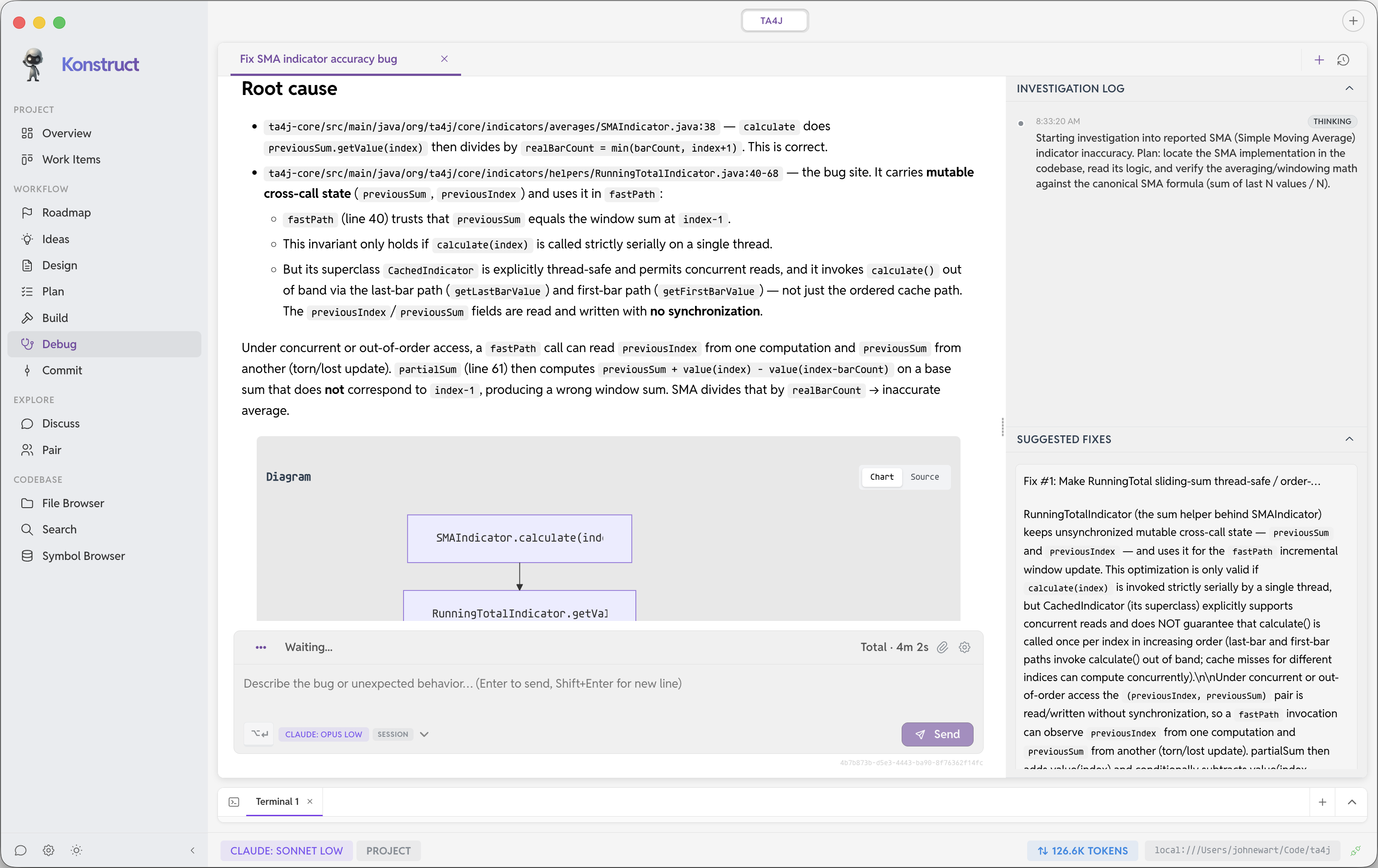
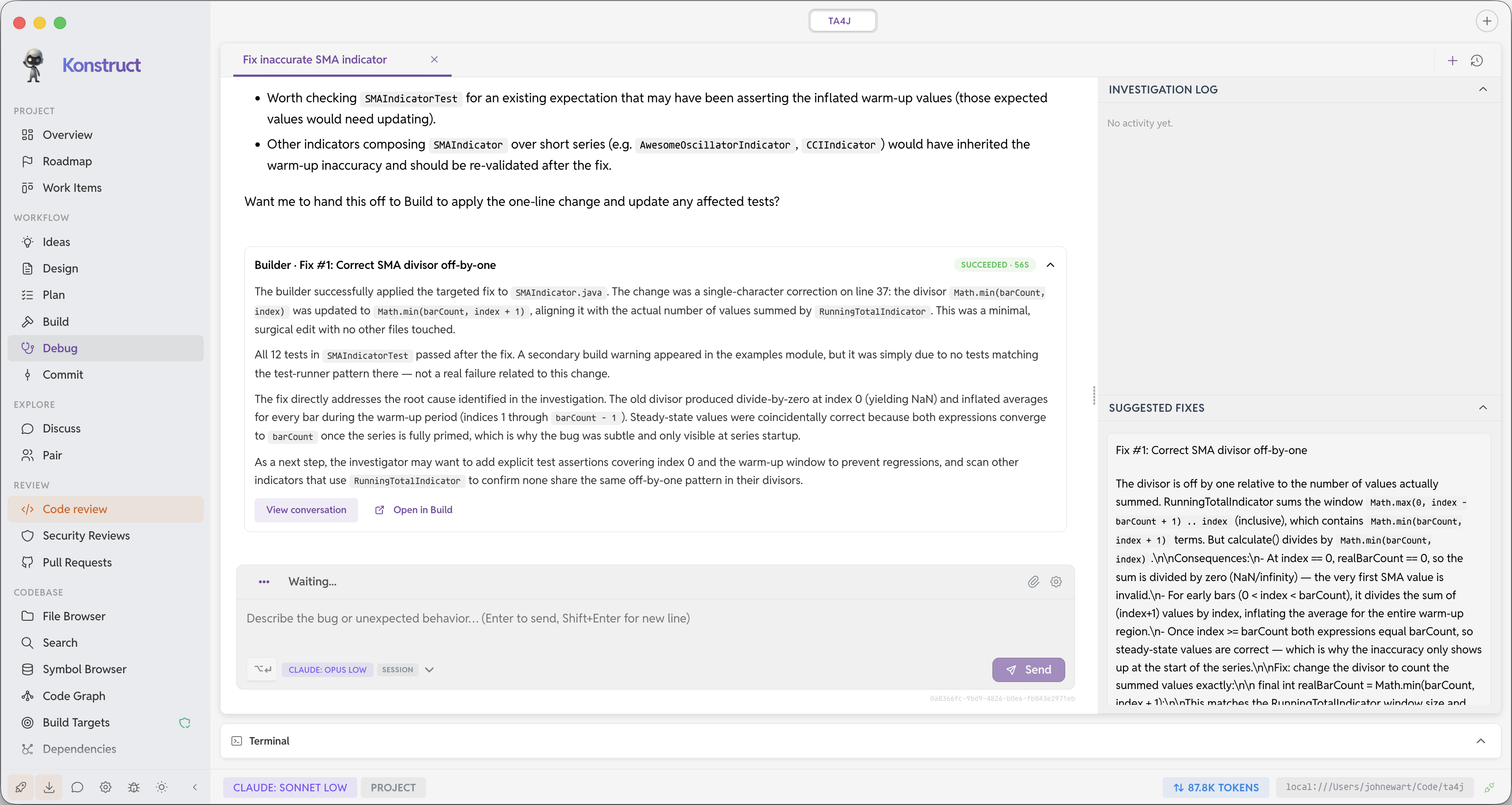
Watch how Konstruct maps your codebase, co-designs new functionality, hardens security, and debugs with AI assistance. Debugger, Security Reviews, and Dependencies are Konstruct Pro features.

Screenshots

Features

Some of the capabilities in this section may require a Konstruct Pro license in the app. See Free vs. Pro below for more detail.

🚀

Local or Cloud-based AI

Run your own LLMs locally, spin-up RunPod GPUs with ease, or use one of the many supported Cloud-based AI products available and switch between them.

🔍

Code Graph

Deep understanding of your codebase with AST parsing, symbol extraction, and intelligent search capabilities.

🎯

Build Sandbox

You define which lint, test, and build steps agents may run—checked into git and executed in toolchains Konstruct installs and isolates automatically, not improvised shell commands.

🔒

Sandboxed Starlark Scripts

Agents compose small Starlark programs for batch workspace checks and glue logic—sandboxed in the workspace daemon with curated APIs, hard resource limits, and no way to escape your project or run arbitrary host commands.

🏗️

Multi-Provider Support

Don't get locked into one provider - Konstruct works with Local LLMs, OpenAI, Anthropic, Google Gemini, AWS Bedrock, Claude, Cursor and RunPod through a flexible provider interface.

🛠️

Project Intelligence

Automatically detects project structure and learns your coding patterns, conventions, and rules.

Git (and GitHub) Integration

Stage files, craft commit messages, and work with your repo locally. View pull requests across your project's repositories and get Konstruct's guidance on what to look for and overall quality.

📋

Project Rules

Store and retrieve project-specific coding patterns, guidelines, and best practices.

Free vs. Pro

Remote or Local Development

Each project pairs with a small workspace-daemon that runs next to your sources. The same design works on your laptop, inside dev containers, or on remote VMs over SSH, so shells, search, graphs, git, file operations, and sandboxed Starlark scripts stay routed through the workspace instead of ad-hoc host access. Agents get useful automation without the freedom to escape your project boundary or run whatever they want on your machine.

Free tier

Try Konstruct for free

  • Local, container-based and SSH workspaces
  • Multi-repository projects
  • Up to 2 workspace projects
  • Up to 3 Git repositories in multi-repo projects
  • Up to 2 concurrent agent runs
  • Code Graph basics — semantic search, symbol browsing, file browser, and interactive code dependency maps
  • Dependency visibility — see your projects' dependencies across all repositories, even multiple sub-projects in different languages
  • Vulnerability Analysis — find out which, if any, of your dependencies have open CVEs
  • Ideation workflow — Ideas, Design, Plan, and Build with agent assistance
  • Build Sandbox — approved lint, test, and build targets checked into git
  • Sandboxed Starlark scripts — agents write reusable in-workspace automation with no shell, imports, or host escape hatches
  • Local LLM management — browse, download, and run on-device GGUF models with llama.cpp integration
  • GitHub integration — view PRs across your project repositories with Konstruct review guidance
  • Commit Tools — view diffs, stage changes, and make commits across your project and automatically generate relevant commit messages based on staged changes
  • Discuss — structured conversations grounded in your project context
Konstruct Pro

Unlock the full toolkit

  • Everything in Free, plus unlimited projects, repositories per project, and concurrent agent runs
  • Document review — PR-style, agent-driven review rounds for Ideas, Designs, and Plans with threaded feedback and git-backed sessions
  • Code Reviews — PR-style code reviews with your agents (coming soon)
  • Dependency remediation — upgrade diffs, in-depth impact analysis, and agent-assisted dependency fixes
  • AI Debugger — agent-assisted failure analysis, root-cause tracing, and suggested fixes you can review and ship
  • Security Reviews — iterative agent-driven reviews with ranked findings and prioritized mitigation checklists
  • RunPod — manage GPU instances and start or stop them on demand to control spend
  • 1Password integration — manage and rotate secrets directly from 1Password